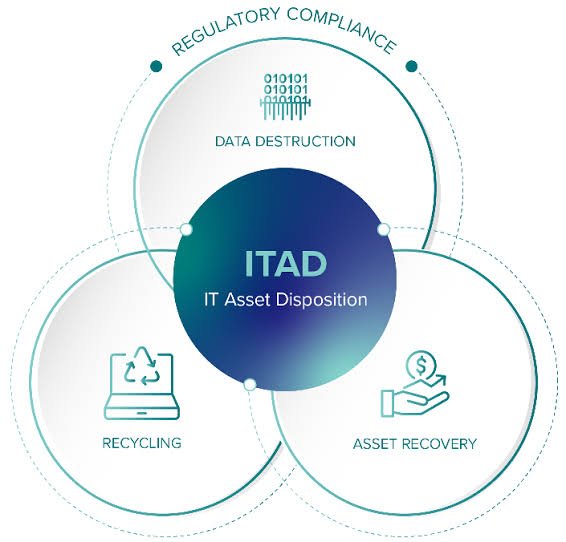
IT asset disposition (ITAD) is the process an organization uses to retire equipment such as laptops, servers and storage drives. It includes recording what will leave service, authorizing collection, tracking each handover, protecting stored data and routing equipment for approved reuse, destruction or recycling. The job ends when the final records account for the assets on the original inventory.
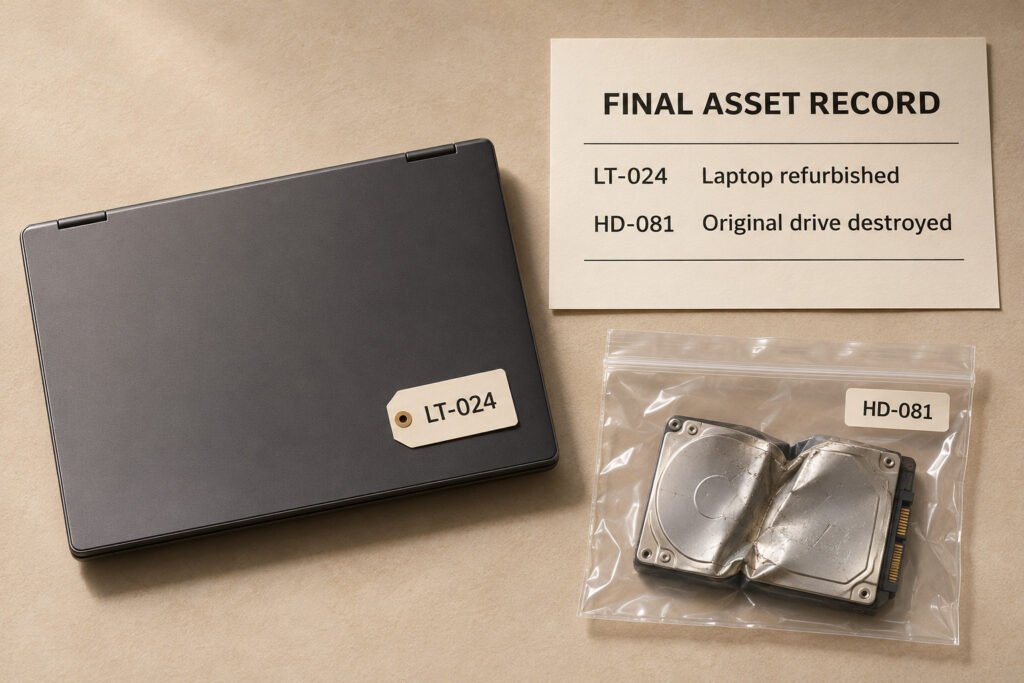
Consider a laptop with a removable solid-state drive (SSD). The organization may authorize the laptop for reuse and require the SSD to be physically destroyed. A useful ITAD report lets someone look up the laptop months later and see what happened to both the computer and its drive. Here’s how that record comes together.
1. Build the inventory and agree on the outcome
Start with a list of the equipment being retired. For each computer or server, record its asset tag, serial number, model, location and condition. Identify anything that may hold data, including loose drives and storage inside devices such as multifunction printers. Where a drive is removed, link its identifier to the device it came from.
Before scheduling collection, the organization and its ITAD provider should agree on what may be reused, what must be destroyed and what evidence the client needs. Be specific about drive destruction and whole-device destruction. That distinction determines whether a working laptop can have a second life.
2. Decommission equipment and track the handover
Before releasing a device, the IT team confirms that any records the organization still needs have been transferred and that the equipment is cleared for retirement. At collection, both parties check the items against the agreed list and record who released them, who received them, when and where.
This handover starts the chain of custody. Each subsequent transfer adds to the record until the equipment reaches its processing location. If the inventory lists 20 laptops and only 19 are handed over, record 19 and flag the missing asset immediately. Carrying the expected count forward makes the discrepancy harder to resolve later.
3. Sanitize or destroy data-bearing media
The appropriate treatment depends on the storage technology, the sensitivity of the information and the device’s intended use. A working SSD approved for reuse may undergo a suitable sanitization process. A drive designated for physical destruction follows the authorized destruction route. The provider should record the method and result against the relevant media identifier.
If sanitization fails or the result cannot be verified, keep the drive out of the reuse stream. Record the exception and follow the agreed next step, such as authorized physical destruction. For guidance on selecting a method, see NIST SP 800-88 Rev. 2, Guidelines for Media Sanitization. For a service-level example, see Nalabix Eco’s data destruction services. csrc.nist.gov
4. Route equipment for reuse or recycling
Once the data requirements have been met, equipment approved for reuse can be tested and, where practical, repaired or refurbished. Equipment designated for complete destruction follows the client’s instructions even if it still works. Damaged units and remaining materials can then go to an appropriate electronics recycler.
For organizations operating across several countries, ask which facility will handle each site’s equipment and which downstream partners will receive the materials. In the United States, for example, the EPA identifies R2 and e-Stewards as certification programs that assess electronics recyclers. Its overview explains what those certifications cover. U.S. EPA guide to certified electronics recyclers. epa.gov
5. Reconcile the inventory and retain the final records
What documents should you receive after ITAD? Agree on the documents before collection, then check that they answer the following questions when the job closes. Nalabix Eco describes how serial logs, signed handovers and destruction certificates fit together in its chain-of-custody and documentation FAQs. Nalabix
| Final record | What it should tell you |
|---|---|
| Reconciled asset inventory | Which items were expected, which were received and the final status of each tracked asset |
| Collection and chain-of-custody record | Who held the equipment, where it went and when responsibility changed hands |
| Sanitization record or Certificate of Destruction, as applicable | Which media were treated, which method was used and what result was recorded |
| Reuse report or recycling documentation | Which assets entered reuse and which equipment or material batches went for recycling |
| Exception log, where needed | Which items were missing, had unreadable serials or failed processing, and what happened next |
To check the records, pick one laptop from the original list. Can you trace it from the collection sheet to its final destination? If its drive was removed, can you trace that drive to its own outcome? That simple check shows whether your ITAD records can answer the question an auditor, client or colleague is likely to ask later: “What happened to this particular device?