
An old laptop may no longer be useful to you, but it can still contain valuable materials and sensitive personal information. Whether you are replacing a slow computer, disposing of a broken laptop, or upgrading office equipment, preparing your device properly is important.
Before recycling an old laptop, back up your important files, remove personal information, securely erase stored data, sign out of linked accounts, check the battery, and arrange disposal through a responsible electronics recycler.
Following these steps helps protect your privacy, prevent data exposure, and support environmentally responsible recycling.
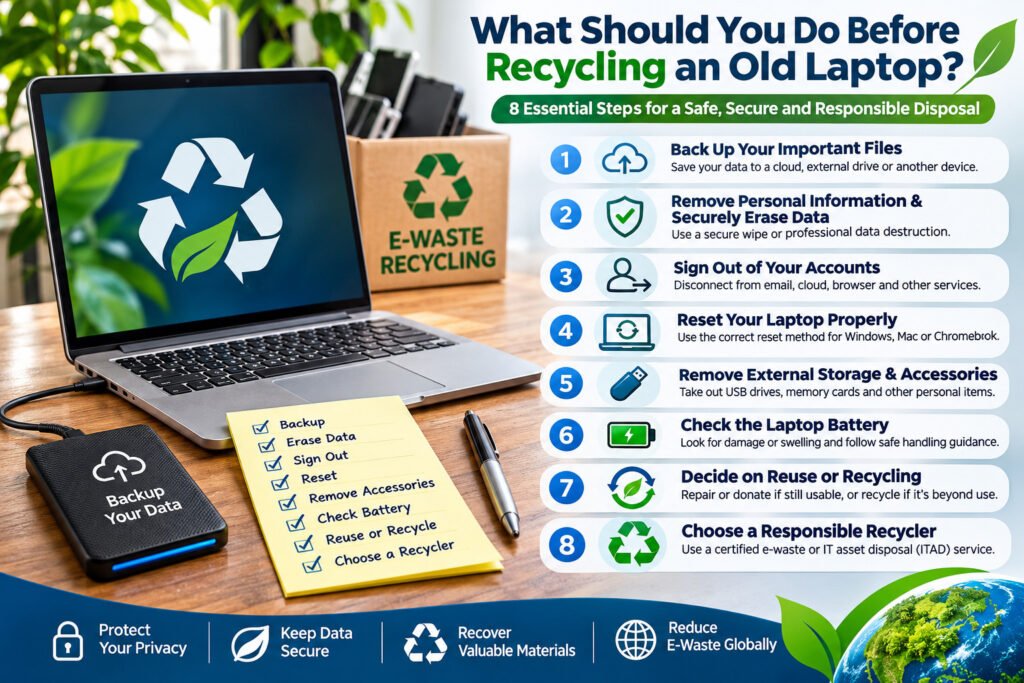
1. Back Up Your Important Files
Before getting rid of your laptop, make sure you have saved everything you want to keep.
Important files may include:
- Personal photographs, videos, and documents.
- School assignments and work-related files.
- Financial records and important certificates.
- Browser bookmarks and saved information.
- Software licence details and other essential records.
You can transfer your information to an external storage device, another computer, or a trusted cloud backup service.
Important: Confirm that your backup is complete and that you can open the files before deleting anything from your old laptop.
2. Remove Personal Information and Securely Erase Data
One of the most important steps before laptop recycling is protecting the information stored on its hard drive or solid-state drive (SSD).
Your laptop may contain saved passwords, emails, financial details, photographs, browsing history, and confidential documents.
Simply deleting files or emptying the Recycle Bin does not necessarily prevent someone from recovering the information.
For ordinary personal devices, follow the manufacturer’s recommended erasure procedure. For sensitive information, consider professional secure data wiping or verified media sanitization.
Depending on the device and the required level of protection, options may include secure erasure, cryptographic erasure, or physical destruction of the storage media.
For additional information, see our guide to data destruction services.
3. Sign Out of Your Accounts and Disconnect the Laptop
Before recycling your laptop, disconnect it from services and accounts you no longer want associated with the device.
These may include:
- Microsoft, Google, or Apple accounts.
- Email and cloud storage services.
- Web browsers and password managers.
- Software subscriptions and licensed applications.
- Device management and tracking services.
Where applicable, remove the laptop from your account’s trusted-device list and disable activation or ownership locks before transferring it to another user.
Be careful when deleting cloud-synchronized files. Removing a synchronized file from your laptop may also remove it from other connected devices.
Remember: Signing out of an account does not securely erase information already stored on the laptop.
4. Reset Your Laptop Using the Appropriate Method
A factory reset can help prepare a laptop for recycling or transfer, but the correct procedure depends on the operating system.
For Windows laptops
On Windows 11, open Settings → System → Recovery → Reset PC and select Remove everything.
Where available, enable the Clean data option when preparing the device for recycling or transfer. Microsoft notes that its consumer reset functionality does not meet government or industry data-erasure standards.
For Apple MacBooks
On compatible Macs, use Erase All Content and Settings to reset the computer. Older Macs may require a different procedure.
Follow Apple’s official instructions for your specific model and macOS version.
For Chromebooks
Use the Powerwash factory reset feature after backing up any locally stored files. School- or company-managed Chromebooks may require assistance from an administrator.
For business laptops or computers containing highly confidential information, a factory reset alone may not meet your security requirements.
Professional hard drive destruction may be appropriate when storage media must not be reused.
5. Remove External Storage Devices and Personal Accessories
Check your laptop carefully before handing it over for recycling.
Remove USB flash drives, memory cards, external hard drives, security keys, and other personal accessories.
If the internal storage drive requires separate destruction, arrange this with a qualified service provider.
You can also gather unwanted chargers, docking stations, cables, and other electronic accessories for appropriate recycling.
Avoid opening or dismantling a laptop unless you have the necessary technical knowledge and can do so safely.
6. Check the Laptop Battery
Most modern laptops contain rechargeable lithium-ion batteries that require appropriate handling at the end of their useful life.
Before recycling:
- Inspect the laptop for signs of battery swelling, leakage, or damage.
- Do not puncture, crush, or attempt to open the battery.
- Do not place the laptop or its battery in ordinary household recycling bins.
- Inform your recycling provider if the battery appears damaged.
If a battery is swollen or damaged, stop using or charging the device and seek specialist handling advice.
A responsible electronics recycler can advise whether the battery should remain installed or be separated by trained personnel.
7. Decide Whether the Laptop Should Be Reused or Recycled
Not every unwanted laptop is beyond repair.
A functional laptop may be suitable for repair, refurbishment, or reuse after the necessary data protection measures have been completed.
However, devices that are severely damaged, obsolete, or unsuitable for reuse may require dismantling and material recovery.
The final treatment should also respect the owner’s instructions. Some individuals and organizations require complete destruction of their electronic assets rather than refurbishment or reuse.
Read more about responsible computer recycling and how unwanted computers can be managed at the end of their useful life.
8. Choose a Responsible Laptop Recycling Provider
Once your laptop is ready, the final step is arranging collection or delivery to an appropriate electronics recycling facility.
A responsible recycler should be able to explain how electronic waste is collected, handled, processed, and sent for downstream recycling.
Depending on the services requested, the process may include secure data destruction, component separation, material recovery, and relevant documentation.
For organizations disposing of multiple laptops, an IT Asset Disposal (ITAD) service can provide additional controls such as asset inventories, chain-of-custody records, data destruction procedures, and completion certificates.
To understand available collection arrangements, explore our e-waste pickup and recycling services.
Why Is Proper Laptop Recycling Important?
Laptops contain materials such as aluminium, copper, steel, plastics, and electronic components that can be processed through appropriate recycling systems.
Responsible recycling helps recover useful materials, reduce avoidable waste, and limit environmental harm associated with improper disposal.
It also provides an opportunity to manage batteries and other components requiring specialized handling.
Learn more about what is considered electronic waste and why it should be managed responsibly.
Frequently Asked Questions
Should I remove the hard drive before recycling my laptop?
Not always. If the hard drive or SSD has been appropriately sanitized, or the recycling provider will securely destroy it, removal may not be necessary. For sensitive information, confirm the agreed destruction method before handing over the laptop.
Is a factory reset enough before recycling a laptop?
A factory reset can prepare many personal laptops for transfer, but it is not always sufficient for sensitive or regulated data. The appropriate method depends on the device, storage technology, and level of information security required.
Can I recycle a laptop that no longer works?
Yes. Broken and non-functional laptops can often be accepted by electronics recycling facilities. However, damaged batteries and storage devices containing confidential information may require special handling.
What happens to my laptop after recycling?
Depending on its condition and the owner’s instructions, a collected laptop may undergo approved data destruction, dismantling, sorting, and material recovery. Components and materials are then directed to suitable downstream recycling processes.
Can laptops be recycled for free?
Some electronics recycling providers offer free collection or drop-off services. Availability depends on location, service requirements, and the provider’s collection arrangements. Secure data destruction and specialized handling may involve additional charges.
Why should businesses use professional laptop recycling services?
Businesses may need to protect customer information, document the disposal of company assets, comply with applicable data protection requirements, and obtain evidence of secure destruction or responsible recycling.